
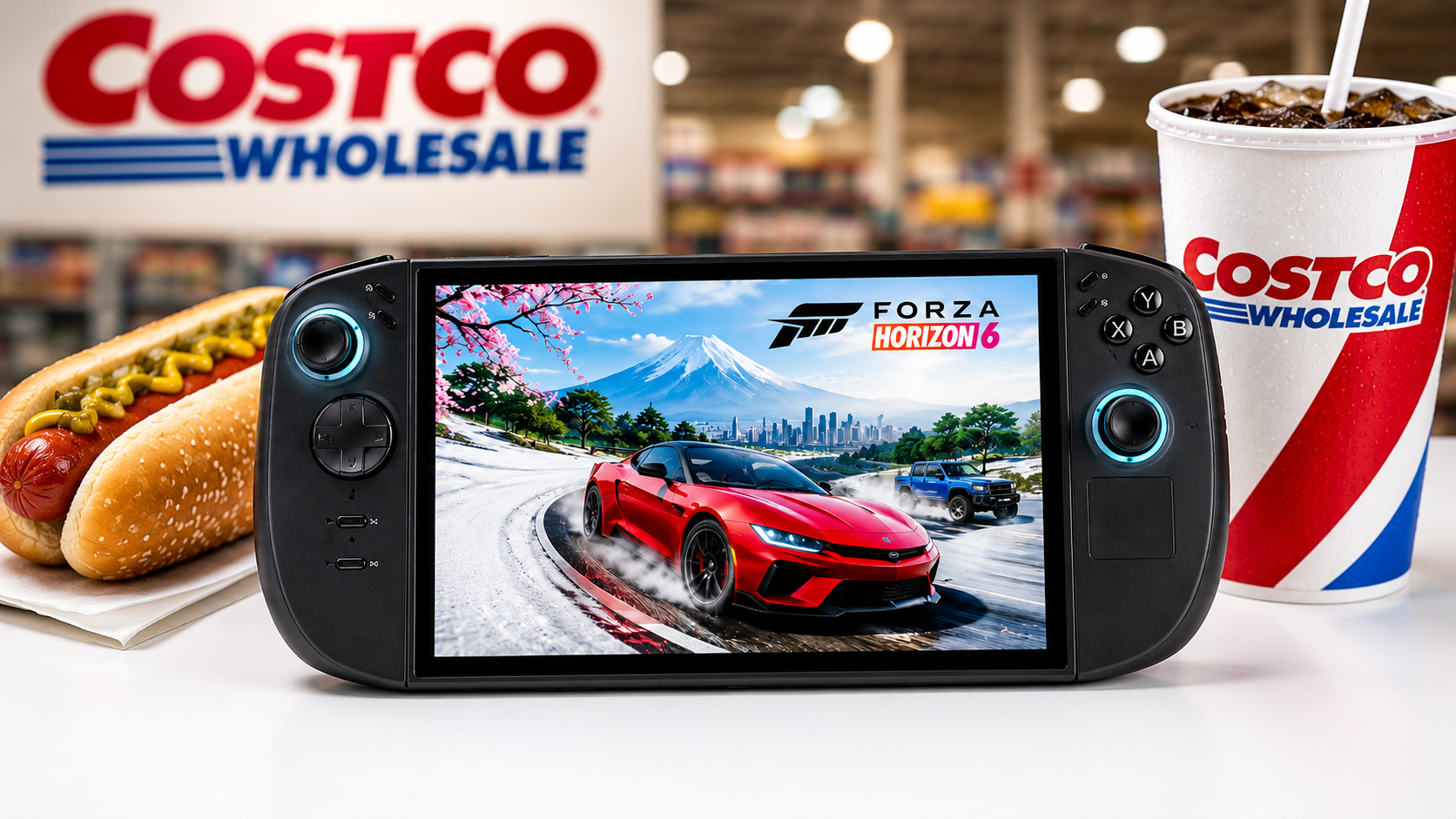
When Lenovo introduced the Legion Go 2, most of the attention naturally went to the model powered by AMD’s Z2 Extreme processor. On paper, it looked like the obvious choice for anyone who wanted the best performance. Then Costco began selling a less expensive version equipped with AMD’s standard Z2 processor.
At first, I assumed the lower-priced model would feel like a compromise. The specifications certainly suggested it would. After several readers encouraged me to take a closer look, I ordered one for myself to see how it compared with my Legion Go 2 equipped with the Z2 Extreme. The Costco model wasn’t available in my local warehouse, so I ordered it online. It arrived the next day, and at the time I paid $1,099. Although that initially seemed expensive, later price increases across the handheld gaming market made that purchase look much more reasonable. After spending several weeks comparing both systems, I came away with one conclusion: the differences between these two handhelds are much smaller than I expected.
Here is a link to my Youtube video: https://youtu.be/Ur2LE1tWnfI?si=oZrrd0TI0b7dlfXJ
Hardware Comparison
At first glance, the two handhelds are nearly identical. Both include 32GB of memory, an 8.8-inch OLED display, detachable controllers, a fingerprint reader built into the power button, and the same overall design. The biggest differences are found inside the processor. The Legion Go 2 with the AMD Z2 Extreme uses newer RDNA 3.5 graphics architecture, supports a configurable TDP of up to 35 watts, and includes 16 graphics cores. The Costco model uses the standard AMD Z2 processor with RDNA 3.0 graphics, a maximum configurable TDP of 30 watts, and 12 graphics cores. Looking only at the specifications, the Z2 Extreme appears to be the clear winner. The question I wanted to answer wasn’t which processor looked better on paper. It was whether those differences would actually matter while playing the games I enjoy most.
Test Setup
To keep the comparison as fair as possible, I configured both handhelds using nearly identical settings. Each system was set to Performance thermal mode with the Smart fan profile, Windows Balanced power mode, 10GB of VRAM, and a 60Hz refresh rate.Although I normally play handheld games at 800p, I decided to perform most of my testing at 1200p to put additional load on both processors. My goal wasn’t to chase the highest frame rates possible. Instead, I wanted to see how closely the two systems performed under the same conditions. Rather than relying only on synthetic benchmarks, I focused on games I actually play. Those included Pragmata, Forza Horizon 6, NBA 2K, and Marvel Rivals.
Gaming Performance
Pragmata
Pragmata was the first game I tested. Using mostly Medium settings with AMD FSR 3 upscaling and frame generation enabled, both handhelds delivered playable performance at 1200p. The Costco model generally stayed in the upper 40 FPS range, while the Z2 Extreme reached the low 50s slightly more often. The Z2 Extreme was consistently faster, but only by a few frames per second. Considering the difference in specifications, I expected the performance gap to be larger.
Forza Horizon 6
Forza Horizon 6 produced one of the biggest differences between the two systems. Before I even started testing, the Costco model displayed a warning stating that the installed graphics driver was older than the game’s recommended version. Fortunately, dismissing the warning allowed the game to launch and run normally. After experimenting with the graphics settings, I found that disabling AMD FSR and switching to TAA with the Low preset produced the best results. Under those conditions, the Costco Legion Go 2 generally remained in the low 40 FPS range with occasional dips into the high 30s. The Z2 Extreme maintained a small but consistent advantage, spending more time in the mid-40s and occasionally climbing into the upper 40s. This was one of the few games where the more powerful processor clearly separated itself.
NBA 2K
NBA 2K ended up being one of the closest comparisons in the entire test. Both handhelds spent most of their time in the 40 FPS range, and neither processor consistently stayed ahead of the other. Depending on what was happening on screen, either system could briefly pull ahead. From a gameplay perspective, it was difficult to tell which handheld I was using without looking at the performance overlay.
Marvel Rivals
Marvel Rivals produced the biggest surprise of the entire comparison. Instead of the Z2 Extreme extending its lead, the Costco Legion Go 2 frequently matched—and occasionally exceeded—the frame rates of the more expensive model. Both handhelds generally stayed within the 40 FPS range, but there were several moments when the Z2 Extreme dipped into the high 30s while the Costco version maintained slightly higher frame rates. At that point, I started wondering whether the specifications alone were telling the whole story.
Benchmark Results
Gameplay tells only part of the story, so I also used the built-in benchmark tools available in Forza Horizon 6 and Marvel Rivals.At 1200p, Forza Horizon showed only about a four-frame-per-second advantage for the Z2 Extreme. Reducing the resolution to 800p increased that gap slightly to around six frames per second. Marvel Rivals told a similar story at 1200p, with the Z2 Extreme finishing only a few frames ahead. However, when I repeated the benchmark at 800p, the results were almost identical. These numbers suggest that while the Z2 Extreme is generally the faster processor, the difference isn’t always large enough to notice during normal gameplay. In fact, after seeing how close many of the results were, I wouldn’t be surprised if additional testing occasionally favored the standard Z2 processor depending on the game and settings.
Battery Life
Performance is only one part of the handheld gaming experience. Battery life is just as important, especially if you plan to use the Legion Go 2 while traveling or away from an outlet. To compare both systems, I charged each handheld to 100 percent, launched Forza Horizon 6 using the same graphics settings, and played for one hour. When the timer expired, both devices had approximately 53 percent battery remaining. I repeated the test several times because I expected the Z2 Extreme to consume noticeably more power. Instead, the results remained remarkably close. While battery life will always vary depending on the game, brightness, and performance settings, I didn’t find enough of a difference to recommend one system over the other based on battery life alone.
I also wanted to see what would happen if both handhelds were given the same power limit. After setting each system to a custom 25-watt TDP and changing the fan profile to Balanced, I played Marvel Rivals again. This time, the Z2 Extreme began to show a more noticeable advantage during gameplay. It consistently maintained higher frame rates than the Costco model. However, when I ran Marvel Rivals’ built-in benchmark at the same settings, the difference was still relatively small. The Z2 Extreme scored 48 FPS, while the Costco model finished at 46 FPS. These tests reinforced something I noticed throughout this comparison. The Z2 Extreme is the faster processor, but in many situations its advantage is smaller than the specifications alone might suggest.
Everyday Experience
Although benchmarks are useful, they don’t always reflect how a handheld feels during everyday use. Outside of gaming, I found very little difference between these two systems. Whether I was browsing the web, writing scripts, checking email, or watching videos, both handhelds felt equally responsive. The same was true while traveling. On a recent trip, I left my laptop at home and brought only the Costco Legion Go 2. It handled everything I needed throughout the trip, from working on articles and video scripts in my hotel room to relaxing with a game in the evening. That experience reminded me that handheld gaming PCs have evolved beyond portable gaming devices. They can also serve as capable Windows computers for light productivity when needed.
Included Accessories and Bundle Value
Another surprise was how similar the overall package was between the two models. Both handhelds include the same charging brick, protective carrying case, and the accessories needed to convert the right controller into a mouse. While I rarely use the mouse mode myself, it’s nice that Lenovo didn’t remove any of those accessories from the less expensive model.
The Costco bundle actually goes a step further by including four games: Starfield Premium Edition, Unknown 9: Awakening, Warhammer 40,000: Space Marine 2, and Lies of P. When I checked their prices on Steam, the combined value was well over $100. Starfield Premium Edition accounted for most of that value, while Unknown 9 was the least expensive title in the bundle. I already owned Starfield, but the other games were new additions to my library. They’re probably not titles I would have purchased individually, yet receiving them as part of the bundle made the Costco version feel like an even stronger value.
Design and Features
Since both systems share the same chassis, the overall experience is nearly identical. Compared to the original Legion Go, the redesigned controllers are noticeably more comfortable thanks to their rounded edges. The additional button on the left controller is another welcome improvement, allowing me to assign a shortcut to Xbox Game Bar. The fingerprint reader built into the power button makes signing into Windows much faster than entering a PIN or password every time the system wakes up.
One of the biggest advantages of the Legion Go design continues to be its detachable controllers. Depending on what I’m doing, I can use the device as a traditional handheld, remove the controllers and prop it up like a small tablet, or connect the controllers together for a more conventional gaming experience. Then there’s the display. The 8.8-inch OLED screen is easily one of the best features of either model. Colors are vibrant, blacks are deep, and games simply look fantastic. Regardless of which processor you choose, both handhelds deliver the same excellent visual experience.
Internal Hardware
Curious to see whether Lenovo had made any other changes, I opened both handhelds while upgrading the storage. Internally, they were almost identical. Both systems use a 74Wh battery, although each battery came from a different manufacturer. Reaching the SSD requires removing both the battery and the cooling fan, but once inside, I found that each model ships with the same Samsung 1TB M.2 2242 SSD.
I was slightly disappointed that Lenovo chose the shorter 2242 form factor instead of a standard 2280 SSD. Considering the price of these handhelds, I expected the larger format, especially since the ROG Xbox Ally X costs less than both Legion Go 2 models while including a 2280 drive from the factory. Fortunately, this wasn’t a major issue for me. Both of my Legion Go 2 systems were eventually upgraded to 4TB 2280 SSDs, giving me all the storage I needed for my game library.
What Could Be Better
Although I came away impressed with the Costco Legion Go 2, neither version is perfect. The speakers are an improvement over those found in the original Legion Go, but they still lack the fullness and volume I’d like from a premium handheld. They’re perfectly usable, but if audio quality is important to you, you’ll probably want to use headphones or external speakers whenever possible. The Hall Effect joysticks are another mixed bag. I appreciate that Lenovo chose magnetic sensors to help eliminate stick drift, but I still wish the sticks offered slightly more resistance. Personal preference plays a role here, but I found them a little too light compared to some other controllers I regularly use.
Storage was another disappointment. Both Legion Go 2 models ship with a Samsung 1TB M.2 2242 SSD. While there’s nothing wrong with the drive itself, I expected Lenovo to use the more common 2280 form factor at this price point. The shorter drive limits upgrade options unless you’re willing to modify the system. Fortunately, both of my handhelds were compatible with a 2280 upgrade, and I eventually installed 4TB drives in each. Once upgraded, storage was no longer a concern.
Software Still Needs Improvement
Most of my frustrations with the Legion Go 2 have less to do with the hardware than with the software experience. One feature I enjoy is the ability to boot directly into Xbox mode. It creates a more console-like experience and gets me into my games quickly. Unfortunately, that experience isn’t always seamless. Occasionally, my controllers won’t respond until I manually launch Legion Space. Once Legion Space opens, I then have to press the Legion Space button again to return to Xbox mode before everything works correctly. It’s a small inconvenience, but one that interrupts what should be a smooth startup experience.
I’ve also experienced occasional Wi-Fi issues where Xbox mode doesn’t immediately recognize my network after booting. Refreshing the application usually fixes the problem, but it’s another reminder that handheld gaming PCs still require more troubleshooting than a traditional game console. Updates can also become confusing. Depending on what needs updating, I may have to check Legion Space, Lenovo’s support website, Windows Update, or AMD graphics drivers. None of these updates are particularly difficult, but managing software across multiple applications isn’t nearly as convenient as using a dedicated gaming console. As Windows handhelds continue to evolve, I hope Microsoft and hardware manufacturers can simplify this process.
A Better Windows Gaming Experience
Valve has demonstrated what a gaming-focused operating system can look like with SteamOS. Instead of treating gaming as one feature among many, SteamOS is designed around the experience of picking up a handheld and immediately playing games. Windows offers far more flexibility, which is one of its greatest strengths. It supports multiple game launchers, productivity software, and countless accessories. However, that flexibility also brings additional complexity. As someone who regularly uses handheld gaming PCs, I’d like to see Microsoft continue improving the Xbox experience on Windows. Features like Xbox Full Screen Mode are a step in the right direction, but I still believe there’s room for an operating system that feels more like a console while keeping the flexibility that makes Windows so useful.
The Rising Cost of Handheld Gaming
When I originally purchased the Costco Legion Go 2, paying $1,099 felt expensive. Not long afterward, prices across the handheld gaming market began climbing. At one point, I saw the Legion Go 2 with the Z2 Extreme selling for around $2,000, while the Costco model had increased to approximately $1,500. Even the Legion Go S was approaching $1,600.
Those price increases made me curious about what was happening. I asked my YouTube community what they believed was causing handheld gaming PCs to become more expensive. Most respondents pointed to rising manufacturing costs, while others believed Lenovo might be preparing to exit the handheld market.
Regardless of the exact reason, one thing is clear: handheld gaming PCs have become significantly more expensive in a relatively short period of time. That changing market also affects how I evaluate products like the Costco Legion Go 2. A handheld that once looked like a budget alternative now feels like one of the better values available. It’s also a reminder that buying used hardware can be an excellent option. Devices like the original Legion Go or the non-Xbox ROG Ally X continue to deliver excellent gaming experiences at considerably lower prices than many of today’s newest handhelds.
Final Verdict
When I first ordered the Costco Legion Go 2, I expected to confirm what the specifications already suggested—that the Z2 Extreme was worth spending the extra money. Instead, I found something much more interesting.
The Z2 Extreme is unquestionably the faster processor. In certain games and at higher power limits, it consistently produces better performance. If your goal is to own the fastest Legion Go available, it’s still the model to buy. What surprised me was how often the standard Z2 processor delivered an experience that felt nearly identical during normal gameplay. Whether I was playing games, writing scripts, browsing the web, or traveling, the Costco Legion Go 2 handled everything I asked of it without making me feel like I had settled for less.
That’s ultimately why this comparison changed my opinion. The specifications favor the Z2 Extreme. My real-world experience often favored the value of the Costco model. If the price difference between the two systems is relatively small, I’d still recommend the Z2 Extreme for buyers who want the highest performance available. However, if you can save several hundred dollars by choosing the Costco Legion Go 2, I don’t think you’re giving up nearly as much as the specifications might lead you to believe. Sometimes the best value isn’t the most powerful product. It’s the one that delivers the experience you want while leaving more money in your wallet.
Who Should Buy Each Model?
After spending weeks using both handhelds, I think the decision comes down to your priorities rather than the benchmark numbers. The Legion Go 2 with the Z2 Extreme is the better choice for enthusiasts who want the highest performance Lenovo currently offers. Its additional graphics cores and higher configurable TDP provide extra headroom in demanding games, particularly if you enjoy tweaking performance settings. The Costco Legion Go 2, however, is the model I’d recommend to most people. It delivered surprisingly similar performance in many of the games I tested, matched the premium model in day-to-day usability, included an excellent game bundle, and provided a level of value I simply wasn’t expecting. I purchased the Costco model expecting to prove that the more expensive version was worth the premium. After living with both, I reached the opposite conclusion.
👉This is my original review of the Legion Go 2 Z2Extreme model