
SteamOS: Simple, Focused, and Limited
SteamOS is one of the easiest operating systems to use on a handheld. It’s clean, focused, and designed around gaming in a way that feels intentional. After first experiencing it on the Steam Deck, it quickly became something I appreciated for its simplicity. It just works. If you’d rather see this process and comparison in action, you can watch my full video on the topic here: https://youtu.be/SuRvvEPaC6s
But that simplicity comes with limitations. Some of the most popular games—particularly those with anti-cheat software—aren’t supported.
The Trade-Off That Led to Windows
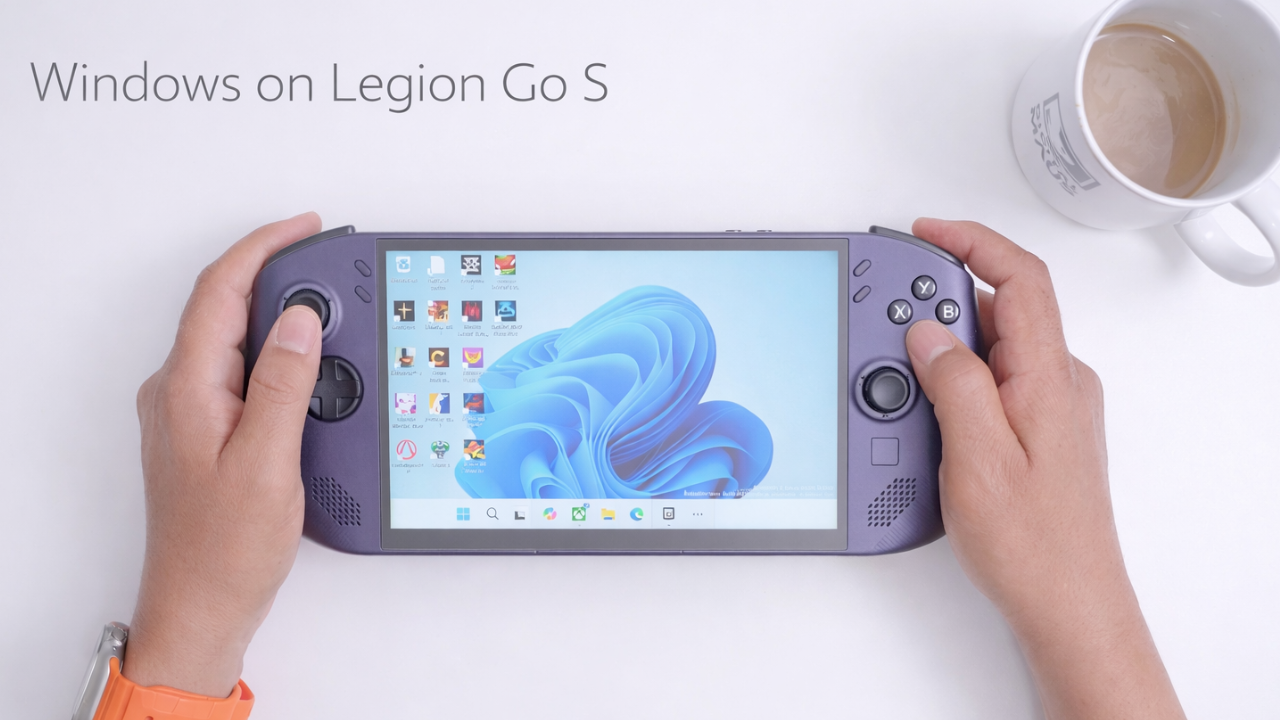
That limitation is what led me to install Windows on the Legion Go S. The expectation was straightforward: gain compatibility, accept a few compromises, and move on. The reality turned out to be more nuanced.
Hardware Overview and Initial Setup
The Legion Go S I used came equipped with a Ryzen Z1 Extreme processor, 32GB of RAM, and a 1TB SSD. It was purchased as an open-box unit, which made it a strong value given current pricing.
Before installing Windows, the storage was upgraded to a 2TB Corsair M.2 2242 drive. During the process, there were signs that the device may have been opened previously—something uncommon compared to other Legion devices—but it had no impact on performance or usability.
Installing Windows and the Shift in Experience
Installing Windows followed a familiar process using a pre-configured USB drive. After setup, Lenovo’s drivers were installed alongside Xbox Fullscreen Experience—now referred to as Xbox Mode—which continues to evolve into a more cohesive interface.
While not perfect, it reduces friction and brings Windows closer to a console-like experience.
Compatibility: Where Windows Immediately Wins
The most immediate advantage of Windows was compatibility. Games that were previously inaccessible on SteamOS ran natively without workarounds. Titles like Call of Duty, Madden, and Fortnite simply worked.
Beyond gaming, Windows also expanded the role of the device. It functioned reliably as a secondary desktop, making it easy to switch between productivity tasks and gaming without changing environments.
Battery Life: A Surprising Result
Battery performance didn’t align with expectations. Using identical settings—1280×800 resolution, 60Hz refresh rate, and a 25W TDP—the difference between operating systems was minimal.
After one hour of gameplay, SteamOS dropped from 99% to 25%, while Windows dropped from 100% to 27%. The assumption that SteamOS would have a clear advantage didn’t hold up under these conditions.
Sleep Mode: A Clear Weakness for Windows
Sleep behavior revealed a much larger divide. SteamOS maintained efficiency, dropping only one percent over an hour and resuming gameplay instantly.
Windows, in contrast, experienced a significant battery drain under the same conditions, falling from 98% to 75%. Even for users who rarely rely on sleep mode, the discrepancy is difficult to overlook.
Performance Benchmarks Across Three Games
Performance testing across multiple games provided a clearer picture of how each operating system behaves under load:
| Game | SteamOS FPS | Windows FPS | Difference |
|---|---|---|---|
| Marvel Rivals | 62 FPS | 51 FPS | +11 FPS |
| Doom: The Dark Ages | 60.8 FPS | 61.1 FPS | +0.3 FPS |
| Cyberpunk 2077 | 73.96 FPS | 58.84 FPS | +15 FPS |
Marvel Rivals behaved as expected, with SteamOS delivering an 11 FPS advantage. Doom: The Dark Ages produced a less predictable result, with Windows slightly outperforming SteamOS, though the difference falls within a margin of error and is limited to a single TDP configuration.
Cyberpunk 2077 provided the most decisive result. The 15 FPS advantage highlights the benefit of an operating system designed specifically for gaming workloads.
Real-World Gaming vs Benchmark Numbers
Despite these measurable differences, the impact on real-world gameplay was less pronounced. Performance on Windows remained consistently smooth, and the absence of an additional 10 to 15 frames per second rarely affected the overall experience.
In practice, the system delivered a level of performance that felt complete rather than compromised.
Design, Weight, and Everyday Usability
The Legion Go S sits in a comfortable middle ground, with an 8-inch display that offers more space than a Steam Deck without reaching the size and weight of larger devices.
At 747 grams, it is noticeably lighter than the Legion Go 2, which comes in at 939 grams. That difference becomes apparent during extended use.
Battery life remains a limitation with the 55.5Wh capacity, but it is manageable within typical usage patterns.
Software Improvements and System Integration
Lenovo’s software updates have improved usability in meaningful ways. Xbox integration within Legion Space, streamlined access to settings, and the ability to adjust VRAM without entering the BIOS all contribute to a more refined experience.
These changes reduce friction and make the device easier to manage on a daily basis.
Accessories and Practical Portability
Accessories further enhance portability and usability. Additions like an anti-glare screen protector, a Dbrand X-ray skin, and the Killswitch case improve both protection and ergonomics.
The Killswitch case, in particular, stands out for its integrated cover, which protects the screen and controls while making the device easier to carry.
SteamOS vs Windows: Choosing Between Focus and Flexibility
After extended use, the differences between SteamOS and Windows become less about which is better and more about which aligns with specific needs.
SteamOS offers a more optimized and efficient gaming experience, particularly in performance and power management.
Windows, on the other hand, prioritizes flexibility and compatibility, expanding what the device can do beyond gaming.
Final Thoughts: A Shift in Expectations
For most users, SteamOS remains the more focused and streamlined option. On the Legion Go S, however, Windows proves to be a compelling alternative—one that delivers enough performance and significantly more versatility to shift expectations.
That outcome wasn’t what I initially expected, but it ultimately changed how I view the device.