
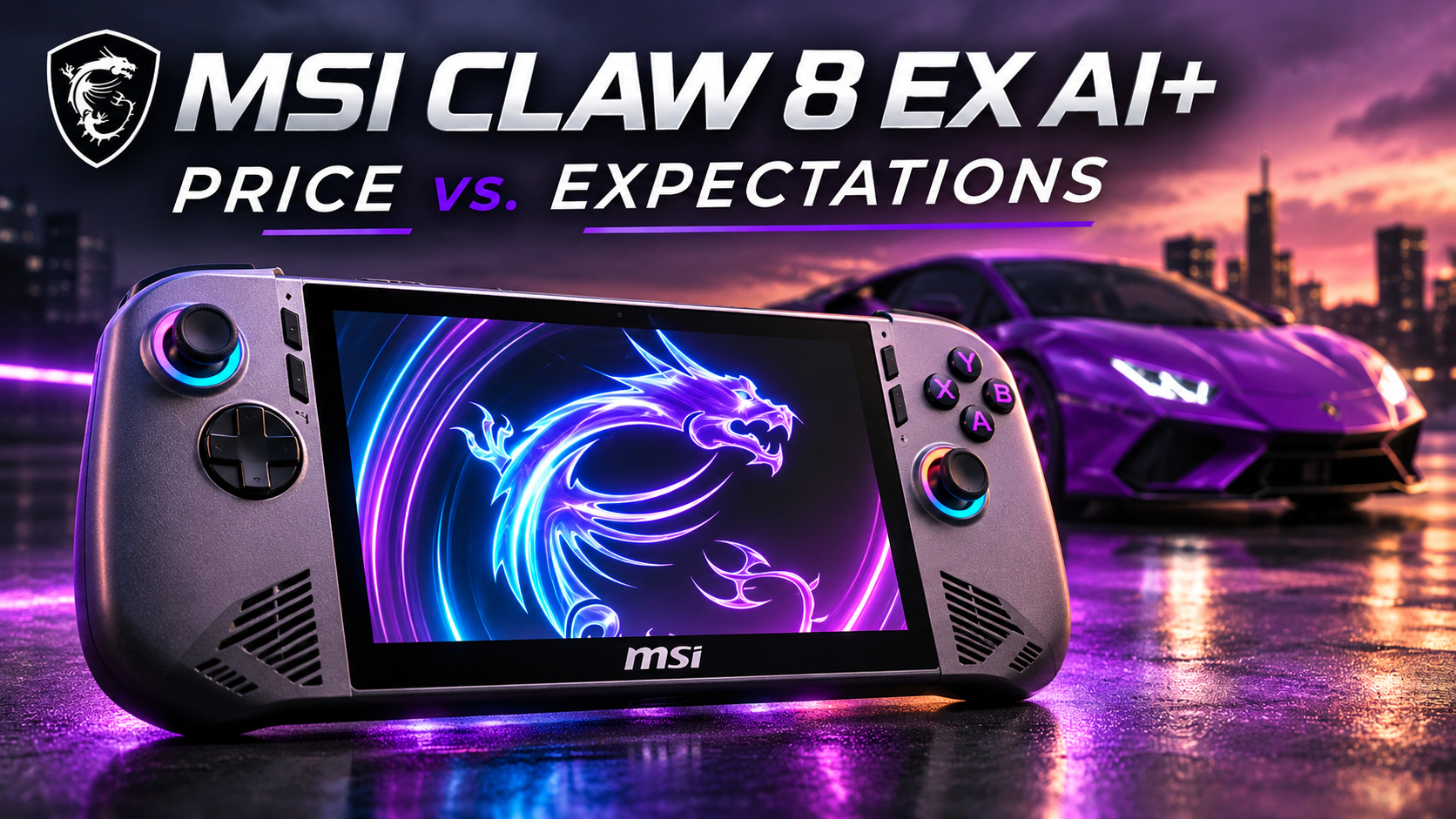
When I bought the MSI Claw 8 EX AI+, I paid about $1,800. At that price, I had some pretty high expectations.
After spending a month with it, I realized that some of those expectations might have been a little too high. But in other ways, the Claw performed considerably better than I expected.
And that’s what made my experience with this handheld so interesting. Some of my biggest disappointments had very little to do with gaming performance.
Watch my MSI Claw 8 EX AI+ review on YouTube:
https://youtu.be/9VE73_EVq_s
An Unboxing That Raised Questions
I purchased my MSI Claw brand new from Micro Center. At least, I thought it was brand new.
When I went to open the box, there wasn’t any tape or seal holding it closed. It simply opened.
Inside, the Claw was sitting on top, with the power adapter underneath. What caught my attention was the power cable. It wasn’t neatly wrapped or secured. It looked like someone had just thrown it into the box.
I started wondering whether the device had already been opened.
I searched online and found a couple of people describing similar experiences, including someone who purchased theirs from a different retailer. That made me think this probably wasn’t specific to Micro Center.
I carefully inspected my Claw and couldn’t find any scratches, damage, or anything else suggesting it had been used.
I’m not suggesting that an $1,800 gaming handheld needs some elaborate, premium unboxing experience. But at this price, I expected better presentation.
It just looked sloppy.
Unfortunately, that wasn’t my only disappointment.
The microSD Card Reader Problem
After setting up Windows and installing some games, I purchased a 1TB microSD Express card.
When I inserted it into the MSI Claw, nothing happened.
Windows didn’t recognize it, and the card wasn’t showing up in Disk Management either.
Initially, I thought there might be something wrong with the card itself. So I removed it and inserted it into my Lenovo Legion Go 2.
It worked.
Next, I connected the same card to the MSI Claw using an external card reader. Windows recognized it immediately.
That told me the card was working, but something wasn’t right with the Claw’s internal card reader.
I searched online for reports of other people experiencing the same problem but couldn’t find anything.
MSI offers a one-year limited warranty on parts and labor for the device, so I would recommend checking the card reader soon after purchasing one and registering the device with MSI.
I ultimately decided to keep my Claw and upgraded its internal storage to a 2TB SSD.
Between the unboxing and the microSD card reader, my experience certainly wasn’t off to a great start.
But neither of those things was the reason I spent $1,800.
The real reason was Intel.
Intel’s Arc G3 Extreme: The Reason I Bought It
Before buying the MSI Claw, I had been reading reviews about Intel’s new Arc G3 Extreme graphics and its gaming performance.
Several publications, including PC Gamer, Tom’s Hardware, and Windows Central, had reported impressive results.
I wanted to experience that performance for myself.
I started with Gears of War: E-Day, running at 1920 × 1200 resolution, medium graphics settings, Intel XeSS Quality, and frame generation disabled.
I used MSI’s AI Engine power mode and played on battery power.
Based on my experience with other handhelds, I knew those settings would be demanding.
During gameplay, I was seeing frame rates in the mid-to-high 30s. At one point, the game briefly froze.
The game was still playable, but I was expecting Intel’s new processor to completely blow me away.
At that moment, it hadn’t.
Things improved considerably when I tried NBA 2K27. Frame rates were generally in the high 60s and occasionally reached the 70s, without frame generation.
That was more like the performance I had been hoping for.
Control Resonant was less impressive. During combat, I was seeing frame rates in the low-to-mid 30s.
The graphics looked good, and the game was playable, but I was expecting better. At the time of my testing, Intel XeSS wasn’t available as an upscaling option in the game.
The Onimusha demo was a different story. At 1200p with medium graphics settings, I was getting frame rates in the high 40s to low 50s.
The graphics looked excellent, and the performance was encouraging.
Still, I wasn’t convinced that Intel’s new graphics were delivering the dramatic improvement I had anticipated.
Then I started comparing the Claw against my other handhelds.
Putting Intel XeSS to Work
MSI maintains a website with recommended graphics settings intended to help games achieve frame rates above 50 FPS.
I decided to try those recommendations with Crimson Desert.
Using my usual settings, I walked my character through a village and saw frame rates in the high 20s to low 30s.
MSI recommended high graphics settings, Intel XeSS set to Performance, and 4× Multi-Frame Generation.
With those settings, the displayed frame rate jumped into the high 90s and low 100s.
That’s a substantial increase, but there’s an important distinction.
According to Intel, XeSS Multi-Frame Generation can insert up to three AI-generated frames between frames traditionally rendered by the game.
That means a displayed frame rate of 100 FPS doesn’t necessarily mean the game engine is rendering 100 original frames every second.
Some of those frames are generated by XeSS.
There’s nothing inherently wrong with that. Frame generation can make gameplay appear smoother, but it doesn’t necessarily provide the same responsiveness as a game natively rendering 100 frames per second.
Personally, I’m comfortable using frame generation, although I understand why some players prefer to disable it.
When I returned to Crimson Desert using MSI’s recommended graphics settings but turned frame generation off, my frame rates dropped back into the 30s.
That made me question whether I had been expecting too much from the Claw’s native gaming performance.
Comparing the Claw Against the Legion Go 2 and ROG Xbox Ally X
Both Gears of War: E-Day and Onimusha include built-in benchmark tools, which allowed me to compare the Claw with my Lenovo Legion Go 2 and ASUS ROG Xbox Ally X.
For the MSI Claw, I used Manual Mode with PL1 set to 23W and PL2 set to 25W.
For the Legion Go 2, I used 1200p resolution and a 25W power limit. The ROG Xbox Ally X ran at its maximum 1080p resolution in 25W Turbo Mode.
Both AMD-powered handhelds used medium graphics settings and AMD FSR upscaling, with frame generation disabled and VRAM set to 10GB.
These weren’t laboratory-controlled experiments. Different hardware, resolutions, and upscaling technologies can affect the results, so they shouldn’t be interpreted as perfectly equivalent comparisons.
Nevertheless, the results changed my perspective.
| Handheld | Gears of War: E-Day | Onimusha |
|---|---|---|
| MSI Claw 8 EX AI+ | 33.7 FPS | 48.5 FPS |
| Lenovo Legion Go 2 | 20.3 FPS | 38.2 FPS |
| ROG Xbox Ally X | 21.5 FPS | 36.9 FPS |
The MSI Claw outperformed both AMD handhelds in these tests.
That was particularly impressive in Gears of War, where the Claw achieved a substantially higher average frame rate than either competitor.
I had initially been disappointed by seeing frame rates in the 30s. But after comparing those numbers with the other handhelds, I had a much better appreciation for what Intel had accomplished.
I also wanted to find out how much additional performance was available by increasing the Claw’s power limits.
I raised PL1 to 35W and PL2 to 45W and repeated the benchmarks.
| Game | 23W / 25W | 35W / 45W |
|---|---|---|
| Gears of War: E-Day | 33.7 FPS | 37.8 FPS |
| Onimusha | 48.5 FPS | 55.3 FPS |
Performance improved in both games, but the gains weren’t as dramatic as I expected.
Overall, though, the Claw’s gaming performance impressed me.
And that raised another question.
What was all this performance doing to the battery?
The Purple Lamborghini Effect
Before getting to battery life, I want to talk about the Claw’s design.
When I first saw the MSI Claw, I wasn’t sure what to think about its appearance.
The best way I can explain my reaction is with something I call the Purple Lamborghini Effect.
Imagine seeing a purple Lamborghini.
Some people would love its distinctive color and styling. Others wouldn’t find it appealing at all.
I think the MSI Claw produces a similar reaction.
Personally, I’m somewhere in the middle.
I wouldn’t call the Claw ugly, but its design wouldn’t be my first choice.
The Claw is wider than both the Legion Go 2 and the ROG Xbox Ally X, although the Legion Go 2 is slightly taller.
I weighed all three handhelds on my scale:
| Handheld | Measured weight |
|---|---|
| MSI Claw 8 EX AI+ | 809g |
| Lenovo Legion Go 2 | 951g |
| ROG Xbox Ally X | 734g |
The Claw and Ally X both have relatively large grips, and that makes a noticeable difference in comfort.
The ROG Xbox Ally X remains the most comfortable handheld I’ve used, but the MSI Claw is a very close second.
The Claw’s joysticks have a good amount of tension. They’re firmer than those on my Legion Go 2 but not quite as firm as those on the Ally X.
The joystick caps also have deeper indentations, making it easier to keep my thumbs in place.
The triggers, face buttons, and D-pad were all perfectly acceptable. Nothing particularly stood out, but I didn’t have any complaints about them either.
Display, Speakers, and Connectivity
The Claw features an 8-inch, 16:10 LCD with a 120Hz refresh rate, variable refresh rate support, and brightness rated up to 500 nits.
At $1,800, I think MSI could have included an OLED display.
However, that doesn’t mean I dislike the screen.
The LCD still looks good, and I’ll take its larger 8-inch display over the 7-inch screen on the ROG Xbox Ally X every day of the week.
The front-facing speakers are another positive. Like the Ally X, the Claw directs sound toward the player, which I appreciate.
MSI also included two Thunderbolt 4 ports along the top of the device.
For my setup, that’s especially useful because I can connect the Claw to my Thunderbolt 4 dock and use it for desktop gaming.
Battery Life: The Biggest Surprise
The MSI Claw has an 80Wh battery.
I wanted to see how it performed during actual gameplay, so I conducted two 60-minute tests using Galactic Racer.
For both tests, I used 1200p settings, set the screen brightness to maximum, and started with a fully charged battery.
The first test used MSI’s AI Engine mode.
During gameplay, frame rates were generally in the mid-50s to low-60s. The graphics looked decent, although they weren’t particularly spectacular.
After one hour, the battery still had 57% remaining.
That was encouraging.
Next, I repeated the test using Endurance Mode.
Initially, I wondered whether Endurance Mode might be little more than a gimmick.
I kept the same game settings and screen brightness, changing only the power mode.
Frame rates dropped somewhat, generally spending more time in the high 40s and low 50s.
But after another 60-minute session, the battery had 72% remaining.
I was genuinely surprised.
Those results exceeded my expectations for battery performance.
Of course, this was only one game. Different games, graphics settings, and power modes will produce different results.
Still, the Claw managed to deliver a playable experience while using considerably less battery power than I anticipated.
That was one of the most impressive parts of my entire experience.
MSI Center M and the Windows Experience
Another pleasant surprise was MSI’s Center M interface.
I like its clean, minimal design.
Games take priority in the center of the screen, arranged horizontally. As I move between them, the background changes to match the selected game.
A row of functions appears near the bottom against a transparent background, and pressing up on the D-pad provides access to different gaming platforms.
It’s a thoughtful interface.
In fact, I prefer its appearance to Microsoft’s Xbox Fullscreen Experience.
The Xbox interface works, but its design feels dated to me. I would like to see Microsoft give it a more modern appearance.
I also wish Windows were easier to set up on handheld gaming PCs.
Updates are another frustration. I don’t enjoy navigating multiple applications and settings screens just to check whether everything is current.
MSI has kept its quick settings relatively simple.
Using the dedicated button, I can access Xbox and Windows settings and switch between three basic power modes: AI Engine, Endurance, and Manual.
For more detailed control, I need to open Center M and navigate to User Scenario, where I can select performance profiles and customize fan curves.
I’d prefer to access more of those settings without opening the full application.
Even so, I appreciate MSI’s decision to keep the basic interface straightforward.
Two Included Games Improve the Value
My Claw included codes for two games: Galactic Racer and Tomb Raider: Legacy of Atlantis.
At the time of my purchase, I found both titles listed at $59.99 each.
I was pleased that MSI and Intel included relatively new games rather than older titles.
Having those games included certainly made the purchase a better value.
Notice I said better value, not necessarily good value.
Because there’s still the matter of that $1,800 price tag.
Is the MSI Claw Worth $1,800?
This brings me back to the Purple Lamborghini Effect.
It’s not just about appearance.
A Lamborghini can deliver incredible performance, and so can the MSI Claw.
But how much are you willing to pay for that performance?
More importantly, do you actually need it?
My Lenovo Legion Go 2 and ROG Xbox Ally X still allow me to play the games I want to play.
The Claw performed better than both devices in my benchmark comparisons, but that doesn’t automatically mean I need the additional performance.
Recommending the MSI Claw is a little like recommending an expensive sports car.
Nobody actually needs a Lamborghini. But if someone has the money, appreciates what it offers, and is willing to pay for it, I can understand why they’d enjoy owning one.
And just to be clear, I’ve never even been inside a Lamborghini.
A toy Lamborghini is probably the closest I’ll ever get to owning one.
The point is that exceptional performance and good value aren’t necessarily the same thing.
Final Thoughts
If I judged the MSI Claw 8 EX AI+ strictly on gaming performance, my opinion would be considerably more positive.
Intel’s Arc G3 Extreme impressed me, especially after I compared the Claw against my other handhelds.
The battery life also exceeded my expectations, and I appreciated the comfortable grips, larger display, and clean Center M interface.
But my experience included more than gaming performance.
There was the sloppy unboxing, the problem with my microSD card reader, and the continuing frustrations of using Windows on a handheld.
Those experiences matter too, particularly when a device costs around $1,800.
The MSI Claw 8 EX AI+ is an impressive handheld, but whether it’s worth the price depends on how much you value the performance it offers.
MSI and Microsoft didn’t quite give me everything I was hoping for.
But Intel?
Intel definitely lived up to my expectations.
Sources
Independent Reviews
Dave James, PC Gamer. “MSI Claw 8 EX AI+ CG3EM review.” July 21, 2026.
https://www.pcgamer.com/hardware/handheld-gaming-pcs/msi-claw-8-ex-ai-cg3em-review/
Brandon Hill, Tom’s Hardware. “MSI Claw 8 EX AI+ review: Unmatched performance and a jaw-dropping price tag.” June 23, 2026.
https://www.tomshardware.com/video-games/handheld-gaming/msi-claw-8-ex-ai-plus-review
Daniel Rubino, Windows Central. “‘This is the gaming handheld we’ve been waiting for’ — MSI Claw 8 EX AI+ review of a masterpiece priced for the few.” June 23, 2026.
https://www.windowscentral.com/hardware/handheld-gaming-pc/msi-claw-8-ex-ai-review-2026
Intel
Intel Corporation. “Intel Arc G-Series Processors Set a New Standard for Handheld PC Gaming.” May 28, 2026.
https://www.intel.com/content/www/us/en/newsroom/news/client-computing/intel-arc-g-series-processors-set-a-new-standard-for-handheld-pc-gaming.html
Intel Corporation. “Intel Arc G3 Processors — Performance Index.” 2026.
https://edc.intel.com/content/www/us/en/products/performance/benchmarks/intel-arc-g3-processors/
Intel Corporation. “Intel Arc Gaming Technologies” — XeSS Multi-Frame Generation.
https://www.intel.com/content/www/us/en/products/docs/discrete-gpus/arc/software/gaming-technologies.html
MSI
MSI. “Claw Walkthrough.” Accessed October 3, 2026.
https://www.msi.com/Handheld/Claw-Guide
MSI. “Recommended Settings for Claw.”
https://www.msi.com/Handheld/Recommended-For-Claw
Testing Notes
All gaming benchmarks, battery tests, weight measurements, and personal observations described above were conducted independently using personally purchased hardware.
Benchmark results reflect the specific hardware configurations, graphics settings, power limits, and testing conditions described. They are not intended to represent laboratory-controlled comparisons or guaranteed performance.
 Tommy Coleman